Right Clicking Configuration Menu
You can right click to bring up different configuration menu within AITable to perform operations.
Right click menu in file directory
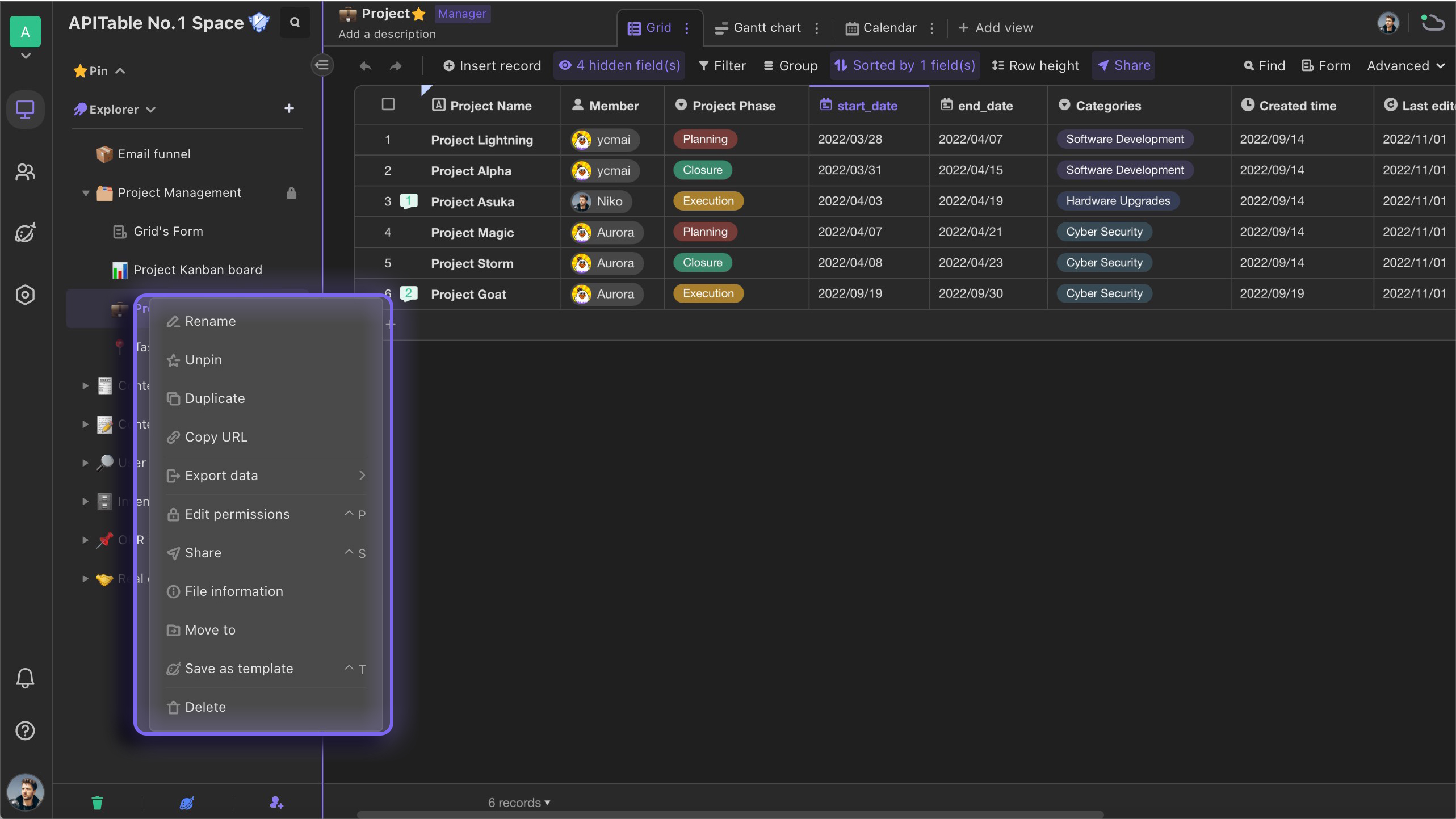
Right click a file or folder
You can right click a file or folder to bring up the menu and navigate to perform operations such as rename, editing permissions, and sharing. Note: with different permissions for the file, you will see different operation options on the menu. 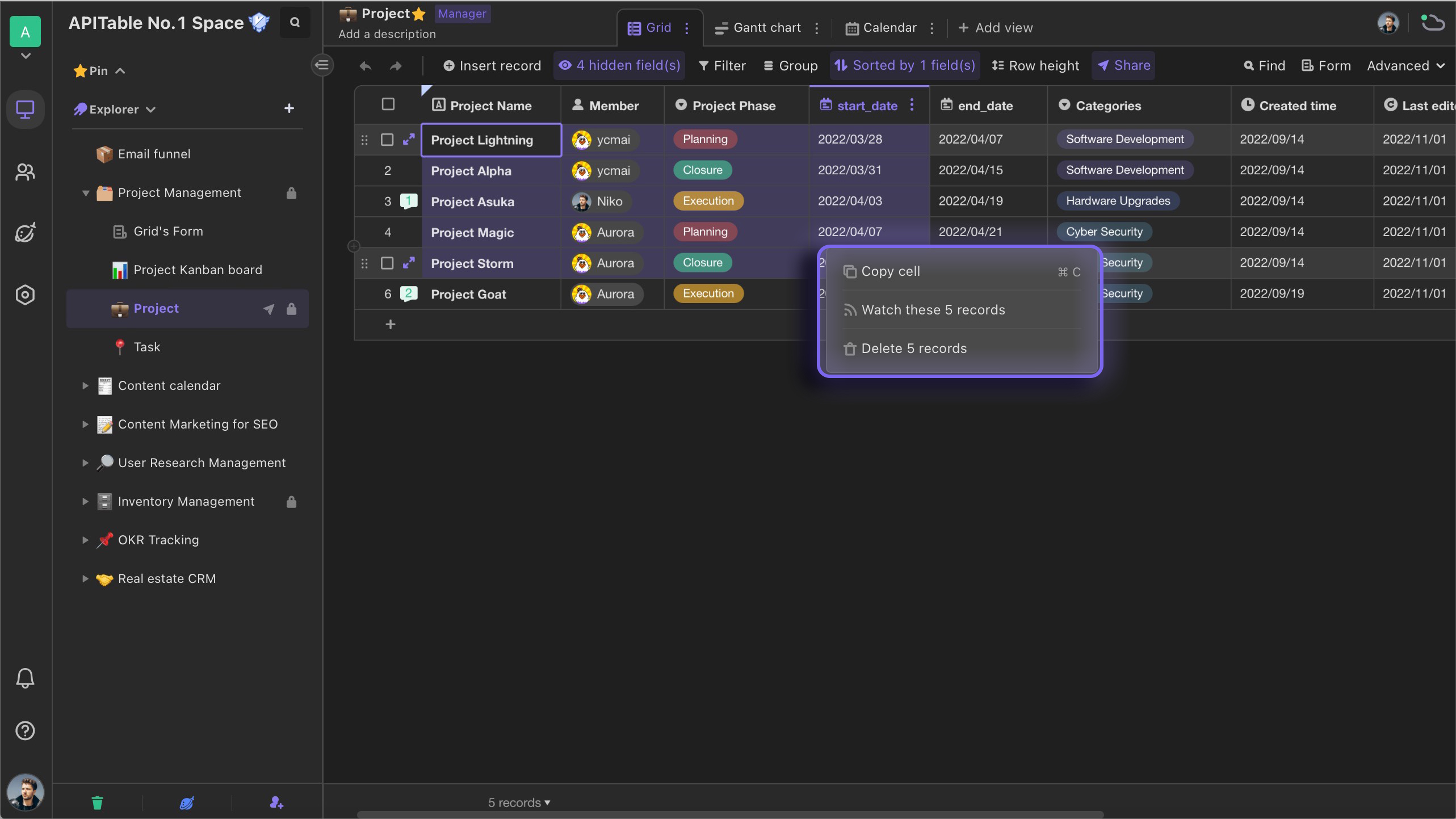
Right click within grid view
Right click the field name
In the grid View, you can right click any field name to bring up a dropdown menu to quickly perform configuration operations such as changing field type, inserting a field, and setting a field as filter condition. Note: with different permissions for the datasheet, you will see different configuration options on the menu.
Right click the cell
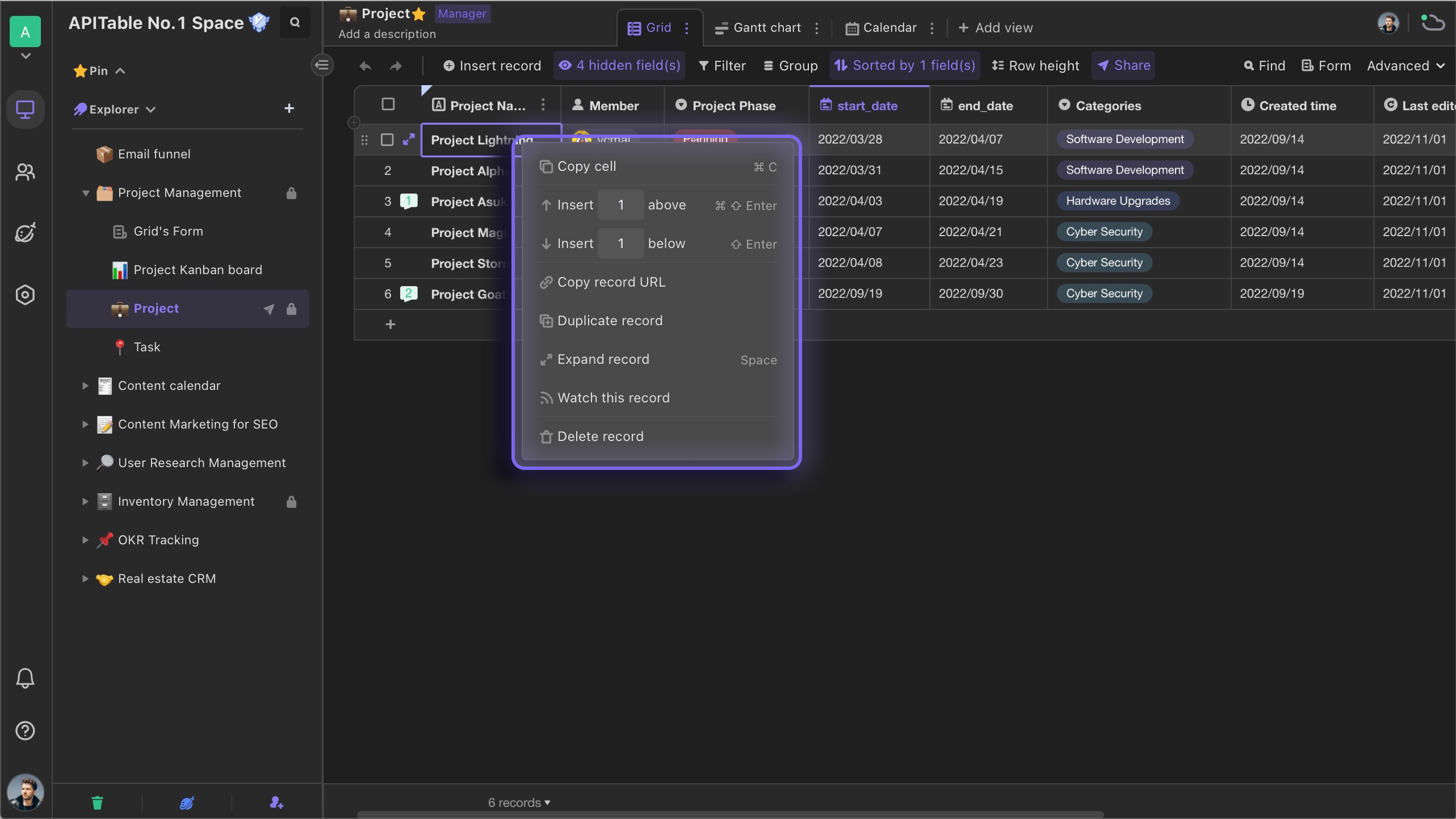
In the grid view, you can right click any cell to bring up a menu to quickly perform operations such as copying this record URL, copying the record, deleting the record, etc. Note: with different permissions for the file, you will see different operation options on the menu. 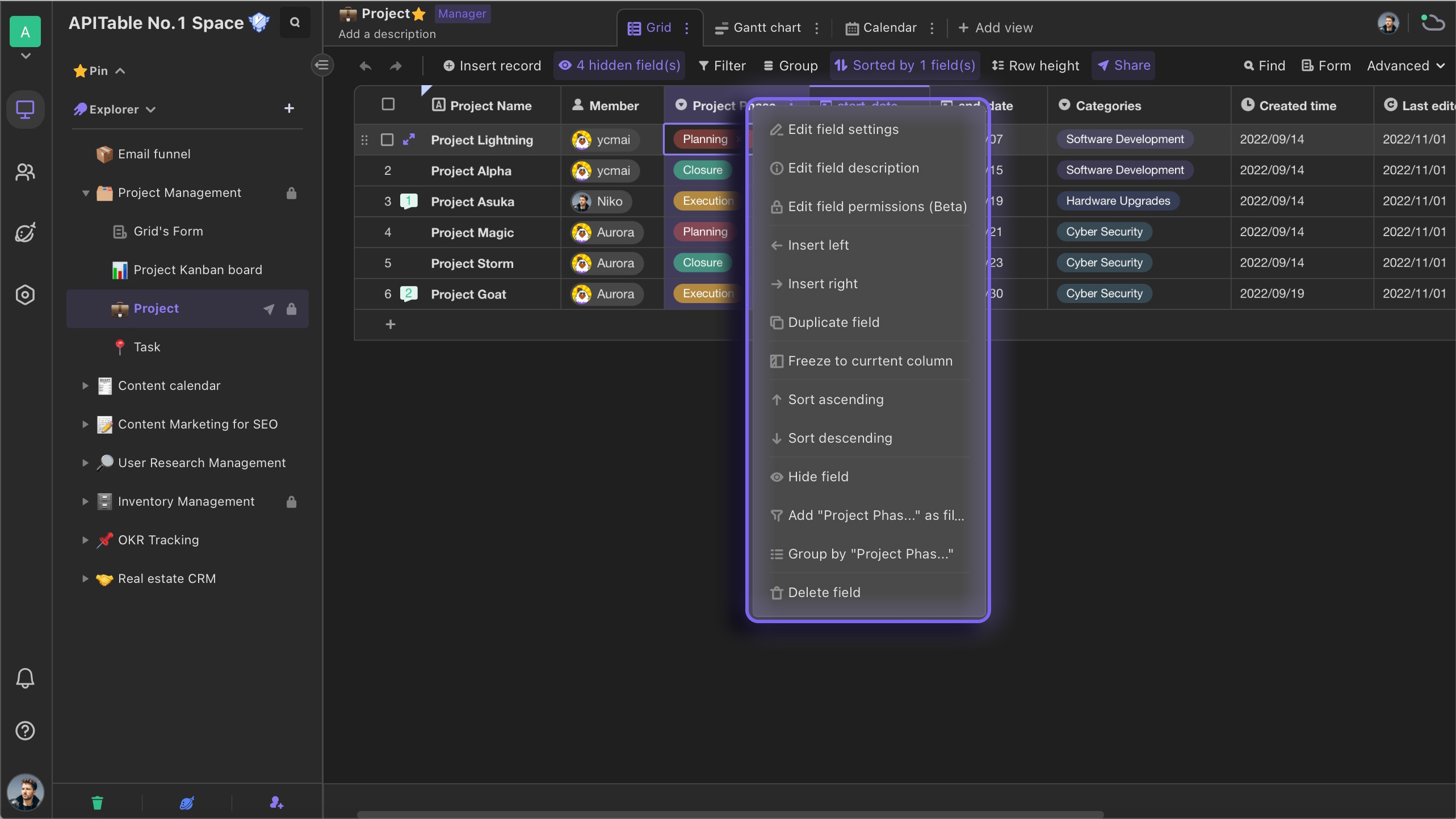
Right click a range of selected cells
In the grid view, you can hold the right mouse button and drag to select a range of cells. Then right click the range of cells, you can delete multiple records quickly.